
Commit graph
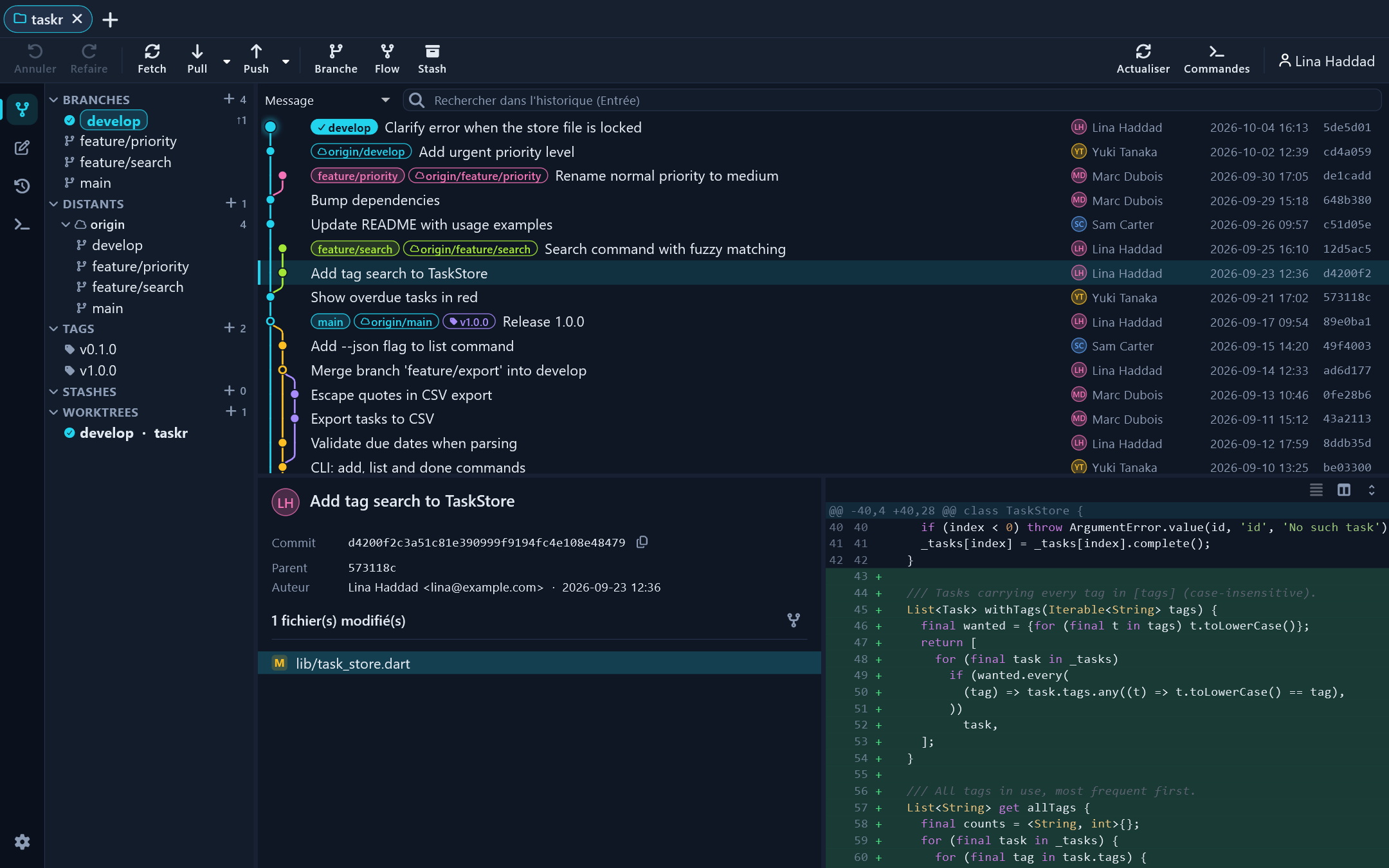
Streamed, virtualized history: hundreds of thousands of commits show up instantly, with branches and tags on every row.
Commit graph, line-by-line staging, Git Flow, an integrated terminal and your GitHub, GitLab or Gitea pull requests, all in one window. For Windows, macOS and Linux.
Windows · macOS · Linux
Streamed, virtualized history: hundreds of thousands of commits show up instantly, with branches and tags on every row.
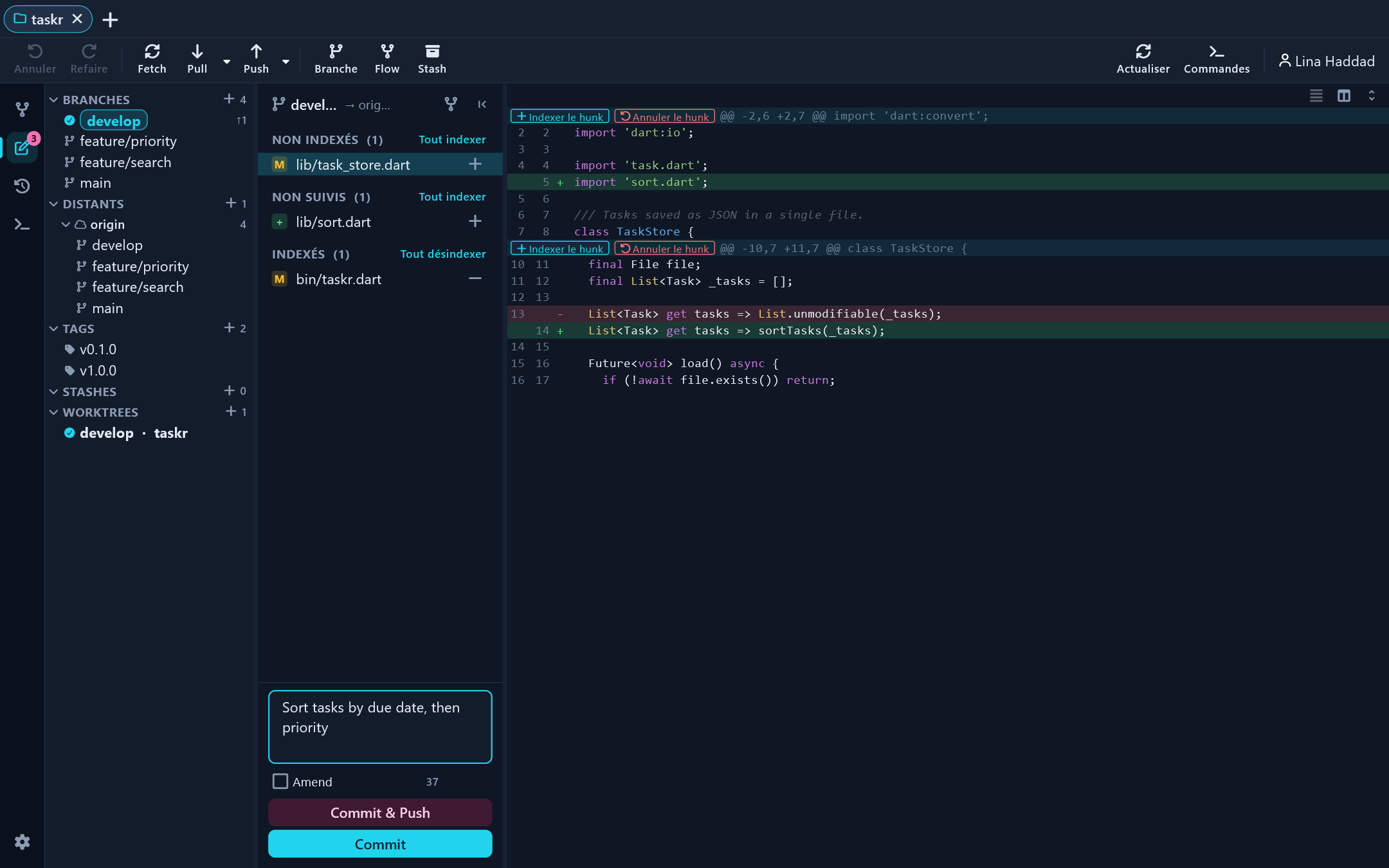
Stage, unstage or discard a file, a hunk or a single line. Unified or side-by-side diff with syntax highlighting.
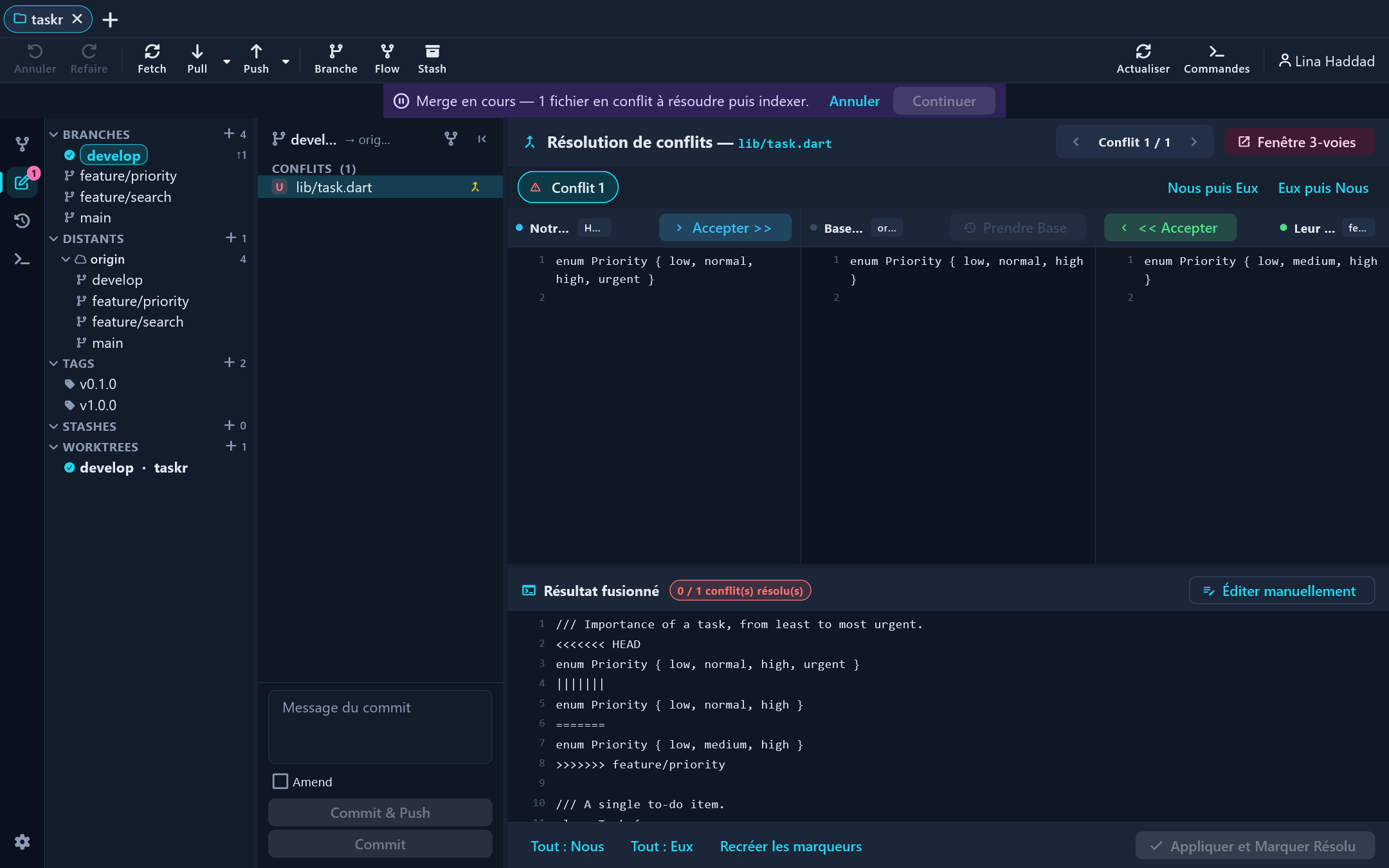
Resolve merges with the base (diff3) in view. Interactive rebase: reorder, squash, fixup, edit.
Ctrl+Z after a bad commit, reset, merge or rebase. Gitlo puts the repository back the way it was.
Features, releases, hotfixes: start, publish, finish through a pull request or locally. Compatible with the git-flow extension.
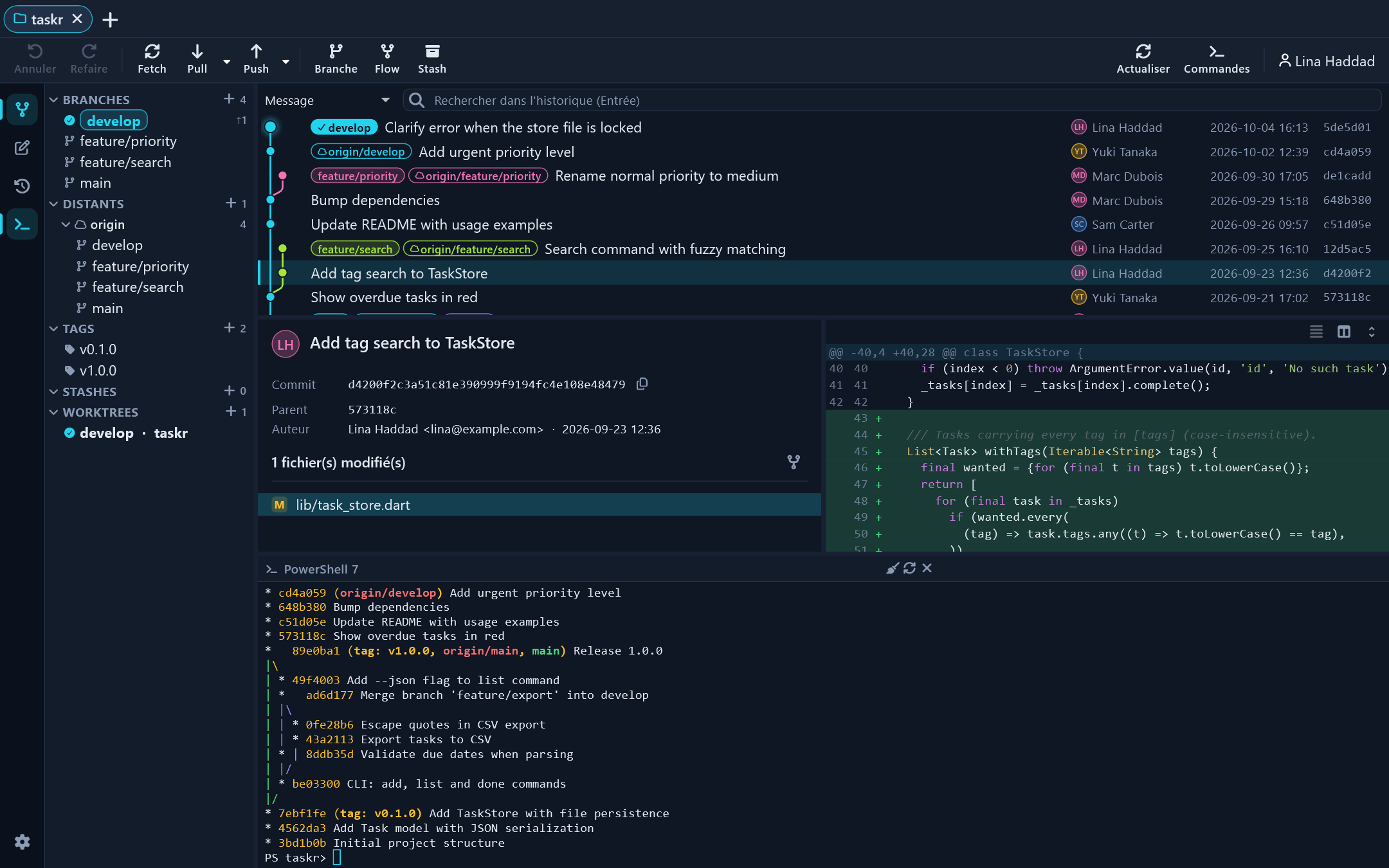
A real shell under each repository (Ctrl+J): PowerShell, cmd, Git Bash, bash or zsh, in your theme colors.
Pull / merge requests, CI/CD with logs, issues linked to branches, clone from your account. Also Bitbucket, Azure DevOps and self-hosted servers.
Search history (message, author, content), file history, submodules and worktrees.
Kraken Night, Dracula, Tokyo Night, Catppuccin, Nord, Gruvbox… Pick a dark and a light theme that follow your system.
| Feature | Gitlo | Fork | Sublime Merge | GitKraken |
|---|---|---|---|---|
| Linux | Yes | No | Yes | Yes |
| Line staging | Yes | Yes | Yes | Yes |
| Built-in Git Flow | Yes | Yes | No | Yes |
| Integrated terminal | Yes | No | No | Yes |
| Gitea | Yes | No | No | No |
Based on each client's public documentation. Spotted a mistake? Let us know. GitHub